Repeat, Infinite and 2x
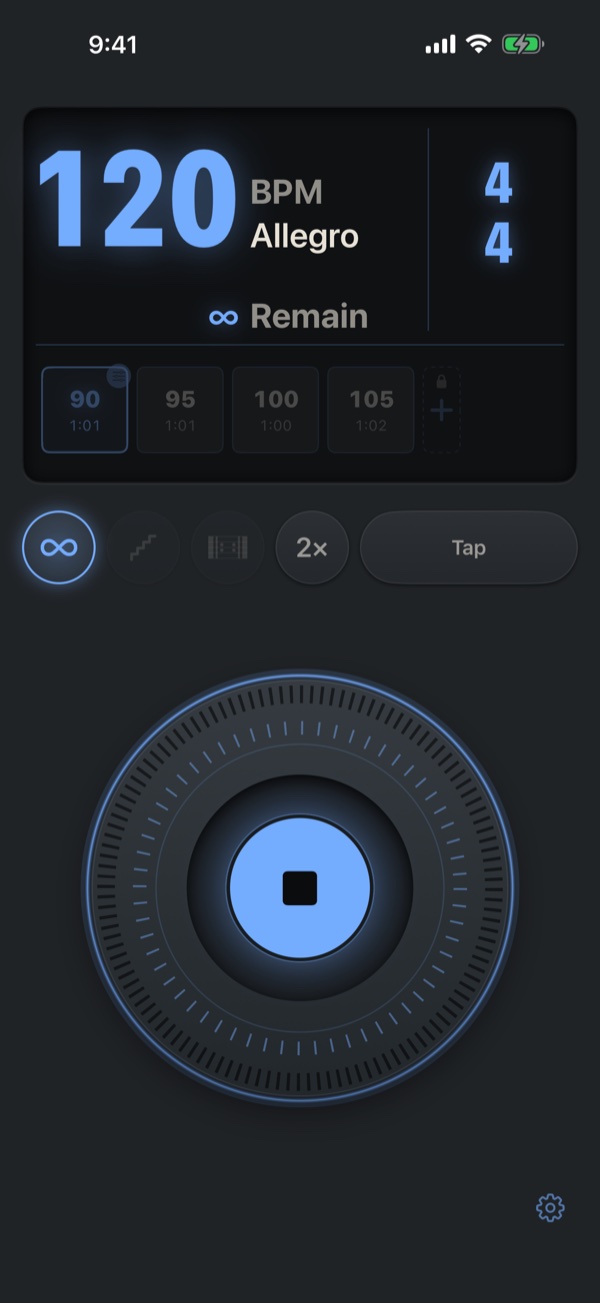
Use these three keys to change how Gradus plays. They are in the row of keys on the main screen.
Repeat
When Repeat is on, Gradus plays the ladder again from the first block. It continues until you stop it.
When Repeat is off, Gradus plays the ladder one time. Then it stops. The last block stays selected. To start again from the first block, touch and hold Play, then tap Play.
To turn Repeat on or off, tap the Repeat key. It is the third key in the row, with a repeat sign.
Repeat is off when you install Gradus.
Infinite
Infinite mode plays one tempo with no end. Use it when you need only a click.
- Tap the Infinite key (∞). It is the first key in the row.
- Set the tempo.
- To go back to your ladder, tap the Infinite key again. Gradus stops.
If the ladder plays when you change to Infinite mode, the click continues at the same tempo with no break.
Infinite mode has its own time signature. If you change to Infinite mode while the ladder plays, Infinite mode uses the time signature of the ladder. Your ladder does not change.
In Infinite mode, Play starts and stops the click. There is no pause.
2× (double time)
2× doubles the speed of the click. The tempos and lengths of your blocks do not change.
- Tap the 2× key. It is the fourth key in the row.
- To go back to the usual speed, tap 2× again.
You can use 2× while the ladder plays or is paused, and in Infinite mode.
When 2× is on, the tempo number does not change. The label next to it shows BPM ×2.
2× has no tempo limit. For example, a block of 200 BPM plays 400 clicks each minute.
Free or paid: Repeat, Infinite and 2× are free.
Related: Count-in · Get started