Stepping
Use Stepping to change the tempo of all blocks together.
What Stepping does
When Stepping is on, a tempo change to one block changes every block by the same ratio. Thus, the steps between the blocks stay even, and you do not have to calculate them.
For example, your ladder is 80, 84, 88 and 92 BPM. Stepping is on. You change the first block from 80 to 100 BPM, which is 25 percent faster. Gradus then changes the other blocks by 25 percent: 105, 110 and 115 BPM.
Gradus keeps tempos that are not whole numbers. The screen shows the nearest whole number. For example, a block of 104.5 BPM shows as 105.
Stepping does not change the lengths of the blocks.
To turn on Stepping
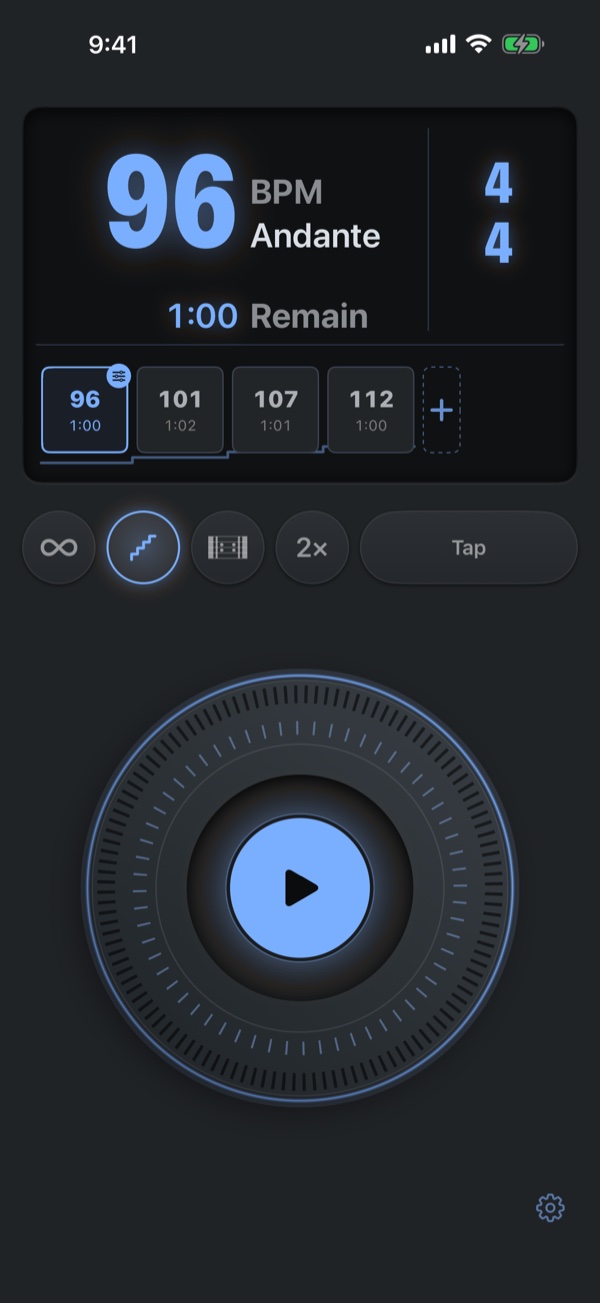
- On the main screen, tap the Stepping key. It is the second key in the row of keys, with a stairs symbol.
- Change the tempo of one block.
Stepping is off when you install Gradus. Gradus keeps your setting until you change it.
To change one block only, turn off Stepping first.
In Infinite mode, you cannot use the Stepping key.
Limits
If a change would move a block below 30 BPM or above 300 BPM, the whole ladder moves only until one block is at the limit. The steps between the blocks stay even. Thus, the block that you change can stop before the tempo that you set. When this occurs, your iPhone vibrates.
Use Stepping to climb a ladder
- Set your ladder at a tempo that you can play cleanly.
- Turn on Stepping.
- In each session, raise the first block by approximately 3 to 5 percent.
- Gradus moves the other blocks by the same ratio.
For more information about the size of each step, see How much to raise the metronome each time.
Free or paid: Stepping is free.
Related: Blocks: tempo and length · Tempo ladder practice