Unlock and Restore Purchases
Gradus is free to use. One purchase, Unlock Everything, adds more features. You pay one time. There is no subscription.
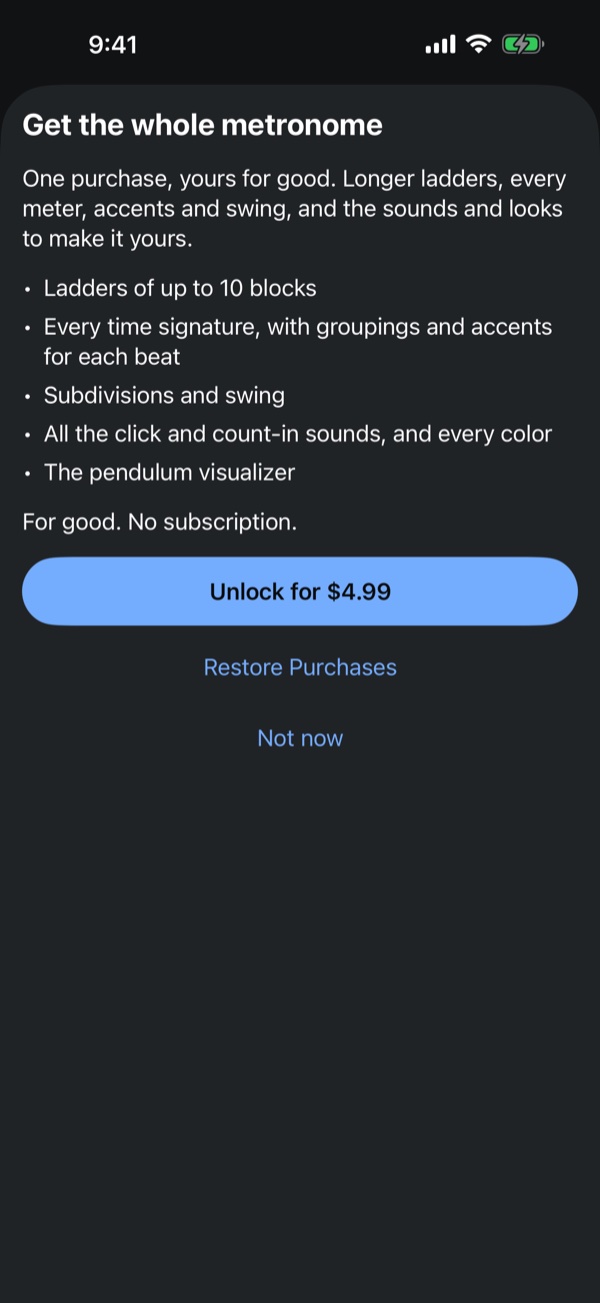
What the unlock adds
- Ladders of up to 10 blocks
- An accent level for each beat
- Subdivisions and swing
- All other time signatures, groupings and compound feels
- A selection of click sounds and count-in sounds
- Five more accent colors
- The pendulum visual style
What stays free
- Ladders of up to 4 blocks, with lengths in time or beats
- Stepping
- Repeat, Infinite and 2×
- 2/4, 3/4, 4/4 and 6/8, with 6/8 in two
- The count-in, with the default count-in sound and the default click
- Tap tempo
- The pulsing light, the bouncing ball and the tempo number
- Light, Dark and System appearance, with the blue accent color
To buy the unlock
- Open Settings.
- Tap Unlock Gradus.
- On the unlock page, tap the buy button. The button shows Unlock for and the price.
- Confirm the purchase with Apple.
You can also tap a locked control, for example the add button when your ladder has 4 blocks. A locked control shows a small lock. The unlock page then opens.
Gradus unlocks immediately. You do not have to restart the app. Gradus does not ask you to make an account.
If your family uses Ask to Buy, Gradus shows that it waits for approval. Gradus unlocks when the purchase gets approval.
If purchases are turned off on your iPhone, for example in Screen Time, the unlock page tells you. It shows no buy button.
To restore the unlock
Use Restore Purchases on a new iPhone, or after you delete Gradus and install it again.
- Open Settings.
- Tap Restore Purchases.
- If the App Store asks, sign in with the Apple Account that you used to buy the unlock.
You can also tap Restore Purchases on the unlock page.
If the App Store finds no purchase for that Apple Account, Gradus tells you.
Without an internet connection
After you buy the unlock, it works without an internet connection.
If the unlock stops
The unlock can stop after a refund. Gradus does not delete your ladder or your settings. Your ladder continues to play as before. But you cannot select a paid setting, and you cannot add a block if your ladder has 4 blocks or more.
Help with a purchase
If you have a problem with a purchase, contact us on the support page.
Related: Blocks: tempo and length · Meter, accents and sounds